
A journal that saves to Obsidian
Write or braindump on your iPhone. Every entry lands in your Obsidian vault as a Markdown note you own.
Made for your templates
Turn your Obsidian templates into forms
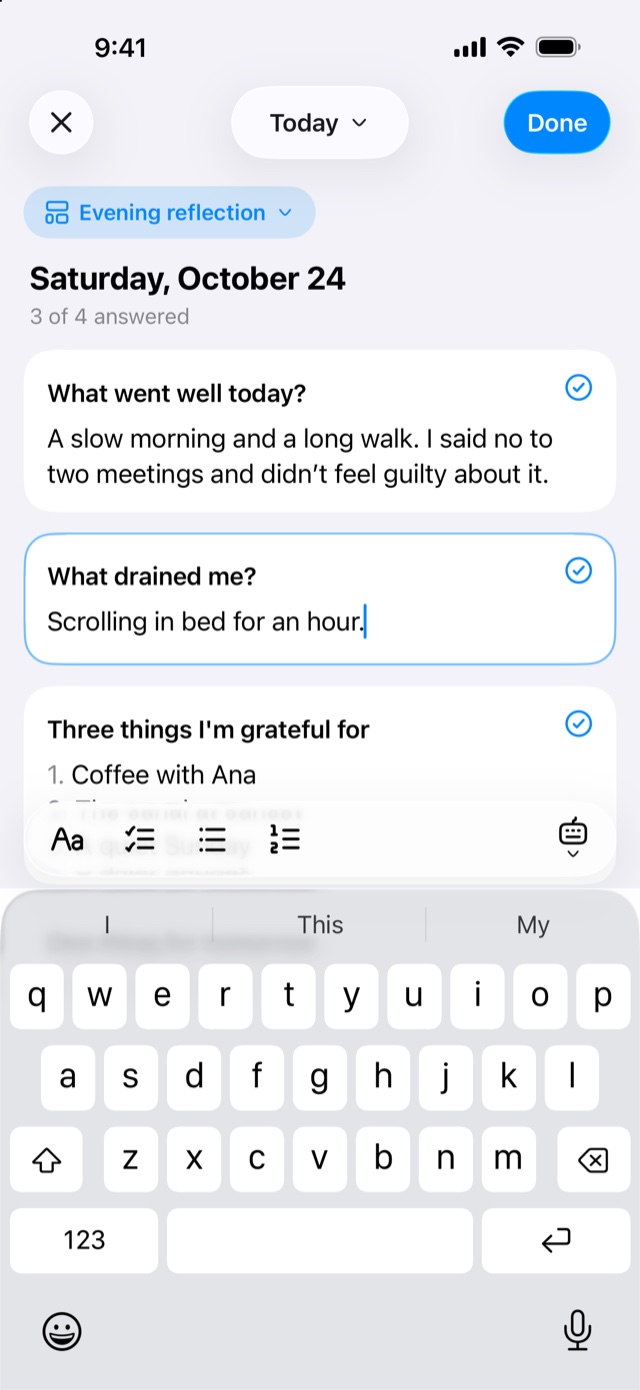
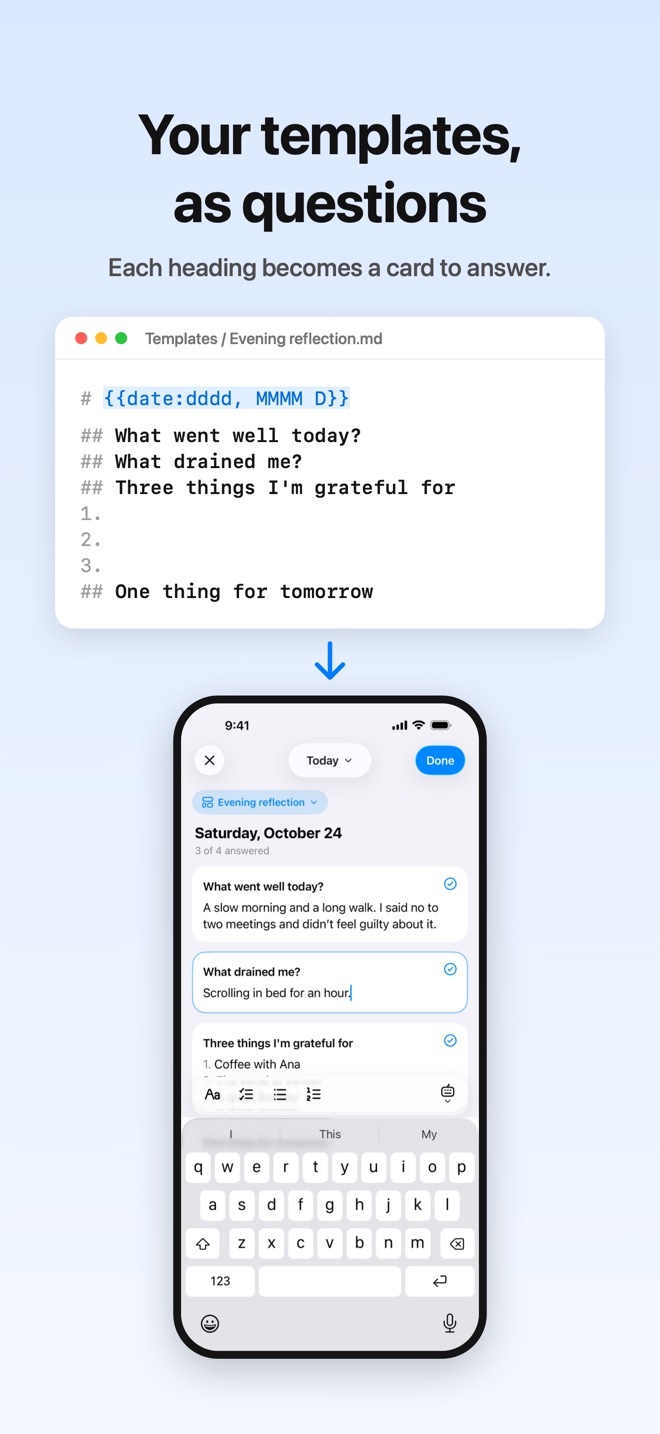
Shed reads the templates already in your vault. Each heading becomes a card with room to answer, and your entry saves back as the same Markdown note your template makes.
Why journal in Shed instead of Obsidian on your iPhone
Obsidian is built for every kind of note. Shed is built for writing today’s entry.
In Obsidian
In Shed
In Obsidian
A template opens as a page of Markdown. You scroll to each heading and put the cursor under it.
In Shed
Each heading is a card. Tap one and write, and the top of the page shows how many you’ve answered.
In Obsidian
Guidance in your template, in comments or code marks, sits in the page as you write.
In Shed
The same guidance shows as a quiet hint under its question.
In Obsidian
Starting an entry usually means opening the app, making a note in the right folder and inserting the template.
In Shed
Open Shed, or tap the widget, Control Center or the Action Button, and you’re writing.
Your entries are ordinary notes. Shed saves exactly what your template would, into the folder you choose. Search, links and sync keep working as before.
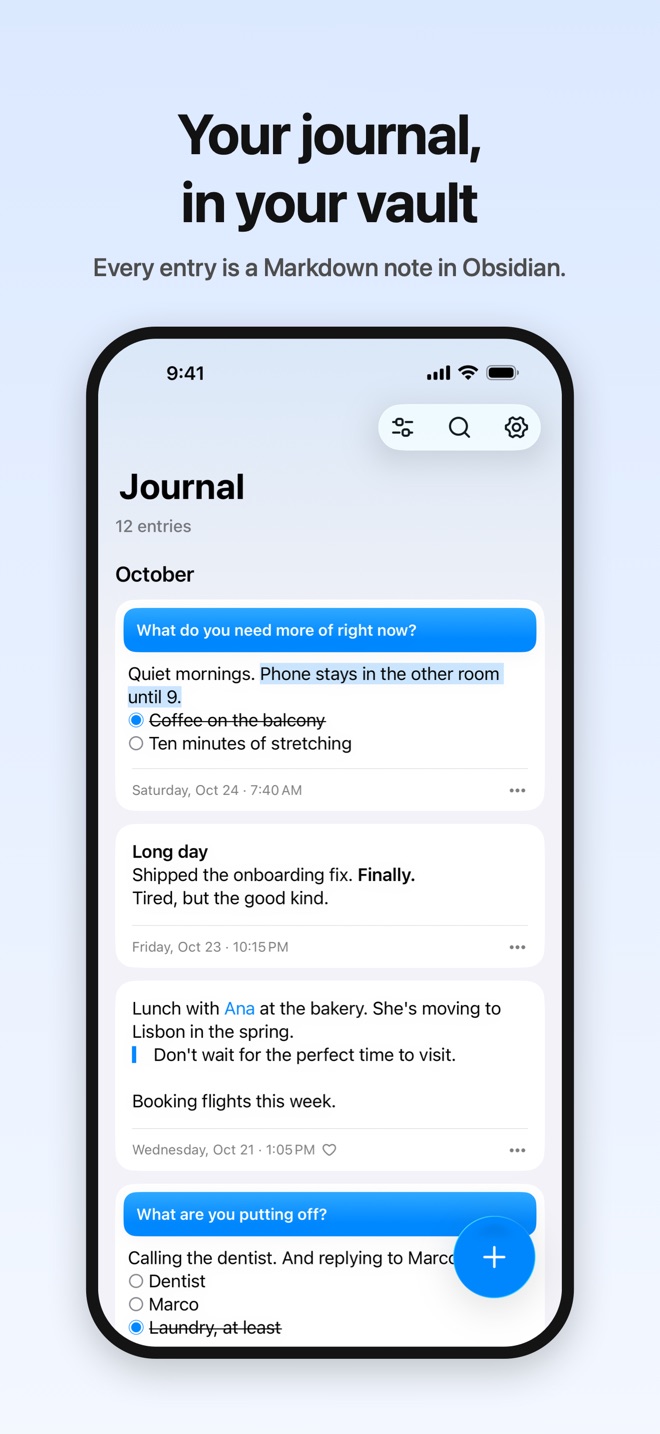
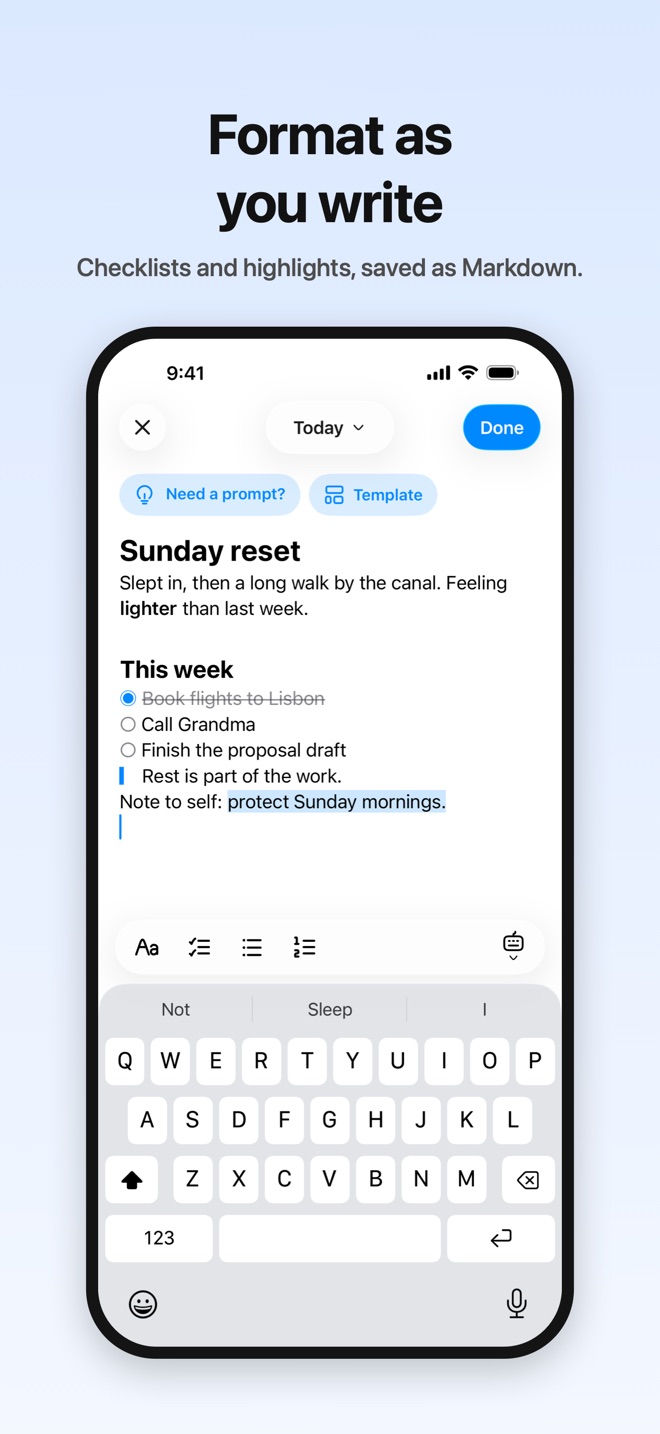
Your journal, in your vault
Each entry is its own Markdown note, beside the rest of your notes. Link it, search it, and keep it for as long as you keep your vault.
A prompt when you’re stuck
Ask for a question to start from, or write your own prompts. Reminders arrive at the times and days you pick, each with a prompt to answer.
Yours alone
Shed has no account and never connects to the internet. Your entries go from your iPhone to your vault, and a Face ID lock keeps your journal to yourself.